
Client Portal
Our client portals give you a clear, uncomplicated view of your finances – bringing together your investments, savings, pensions and important documents in one secure place.

MyPerspective. Everything in one place.
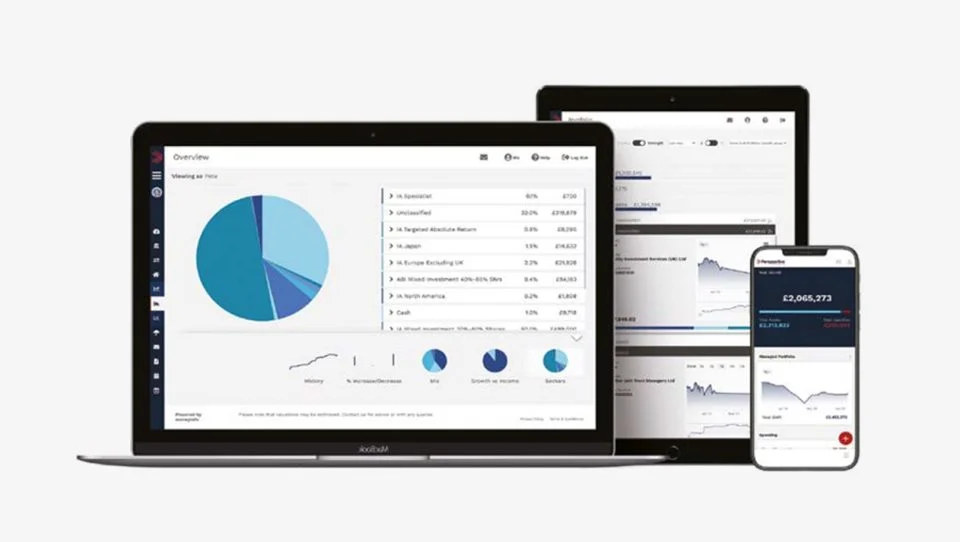
On your desktop and as an app on your tablet or phone, your finances are brought together under a single login accessible to you at anytime, wherever you are.
-
Everything summarised
Your dashboard gives you a snapshot of your entire financial position and an easy navigation point to everything you need. You can personalise it to display the information that matters most to you.
01
-
Keep track of your investments
View your investment portfolio at a glance, with valuations updated daily and tracked over time.
02
-
Documents safely stored
Store and access wills, property deeds, insurance policies, valuations and statements — all securely organised and available whenever you need them.
03
-
Secure communications
Your financial planner can share reports and documents with you directly through the portal, with notifications alerting you when something important is waiting.
04
A true picture of your net worth
MyPerspective tracks the value of your assets and liabilities over time — for you, your partner, dependants, trusts or companies — bringing everything together into a single, clear view.
You can even track the value of your property using Land Registry data, helping you stay informed without the need for multiple logins.
To register contact your financial advisor or local office.

Your data. Your control.
We take the security of your personal and financial information very seriously and MyPerspective makes sure that your data is safeguarded using bank level security and encryption. Our mobile app is further protected with your own six-digit pin and registered to your personal device.
To register you will need to: provide the email address you use to communicate with us, answer some security questions and set a strong password. It’s simple and there is lots of guidance available on the portal itself.
Our offices all have a specific link to MyPerspective and can use this to register as a new user, or login if you are an existing user. Simply contact your advisor or local office who will be able to help you register and get started.
If you are a member of the iO PFP portal, please ensure you use the correct link for your office from the table on the iO PFP page and contact them if you experience any difficulties. The client portal is also available as a ‘progressive web app’ which uses the web to give an app-like experience, meaning you can use it on smart phones (both iPhones and Android) and tablets. Follow the steps on the iO PFP page to install this on your devices.